


Trello: visual project management with Kanban boards
Discover Trello, the tool that makes project management simple and visual
Trello is an online project management tool that organises your tasks into boards, lists and cards, following the Kanban method.
A marketing editorial calendar, a new hire's onboarding, customer request tracking: every project becomes a board where you drag and drop cards from "To do" to "Done". The whole team sees who is doing what and where each task stands, on the web and on mobile.
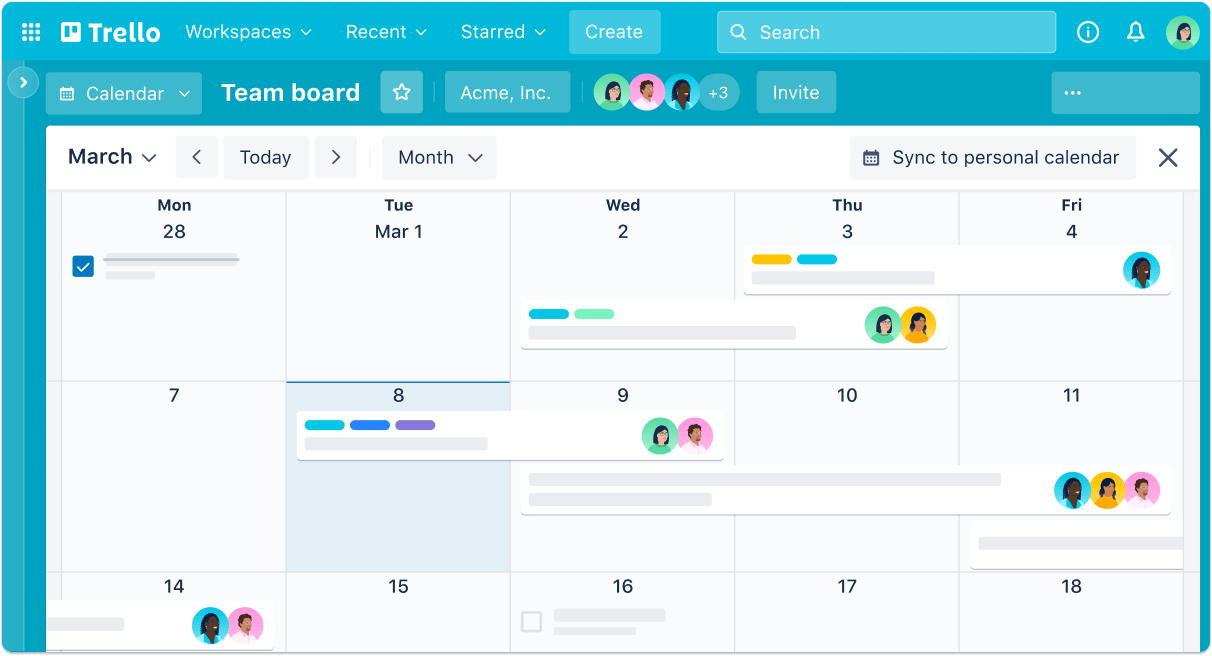
Trello is built around four functional pillars:
Simple to start with, the tool grows as your needs do.
1. Boards, lists and cards: your project at a glance
The heart of Trello: a visual layout everyone understands in minutes.
- Create one board per project, from scratch or from a template
- Drag and drop cards between lists to track progress
- Add checklists, due dates, attachments and comments to every card
- Assign members so everyone knows who owns what
2. Views: the same project from several angles
Beyond Kanban, display your data the way your team needs it.
- See your deadlines in the calendar view
- Plan over time with the timeline view
- Combine cards from several boards in the table view
- Spot workload overloads before they block the project
3. Automation: fewer clicks, more useful work
Built-in automation runs your rules for you.
- Create rules that move or label cards automatically
- Schedule your team's recurring tasks
- Trigger actions as a due date approaches
- Add custom buttons for your most frequent actions
4. Power-Ups: connect Trello to your tools
Power-Ups link your boards to the rest of your work environment.
- Connect Google Drive, Slack or Mailchimp to your boards
- Add custom fields and reporting as your needs grow
- Invite collaborators with read-only or edit access
- Keep boards private or share them publicly, case by case
- Discover the service here
Planning a Trello project? turnK connects your collaboration tools to your CRM and the rest of your IT system. Take a look at our app development services or contact us: our consultants reply within 48 hours.
Frequently asked questions.
Trello is an online project and task management tool inspired by the Kanban method. Each project is a board made of lists and cards you move around to track progress, with checklists, due dates, attachments and comments.
Trello works for freelancers as well as teams of any size. Its instant learning curve makes it a great first project management tool, while its views, automations and Power-Ups let it handle more complex projects.
Kanban boards with lists and cards, calendar, timeline and table views, rule-based automation, ready-made templates and Power-Ups to connect tools such as Google Drive, Slack or Mailchimp.
Trello offers a free plan and paid per-user monthly subscriptions, which unlock advanced views and more automation. Up-to-date pricing is available on the official Trello website.
Yes, through Power-Ups or automation platforms like Zapier and Make. For example, you can create a card for every new CRM opportunity. turnK designs these flows so your project and sales teams work on synchronised data.
