


Make: automate your workflows with visual scenarios

Discover Make, visual automation for your workflows
Make, formerly Integromat, is a no-code automation platform that connects your applications and moves your data without writing a single line of code.
A form submitted on your website creates a contact in the CRM, notifies the sales team and updates your tracking board: that is a Make scenario. Every automation is drawn on a visual canvas where you can watch data flow from module to module, making even complex processes readable by the whole team.
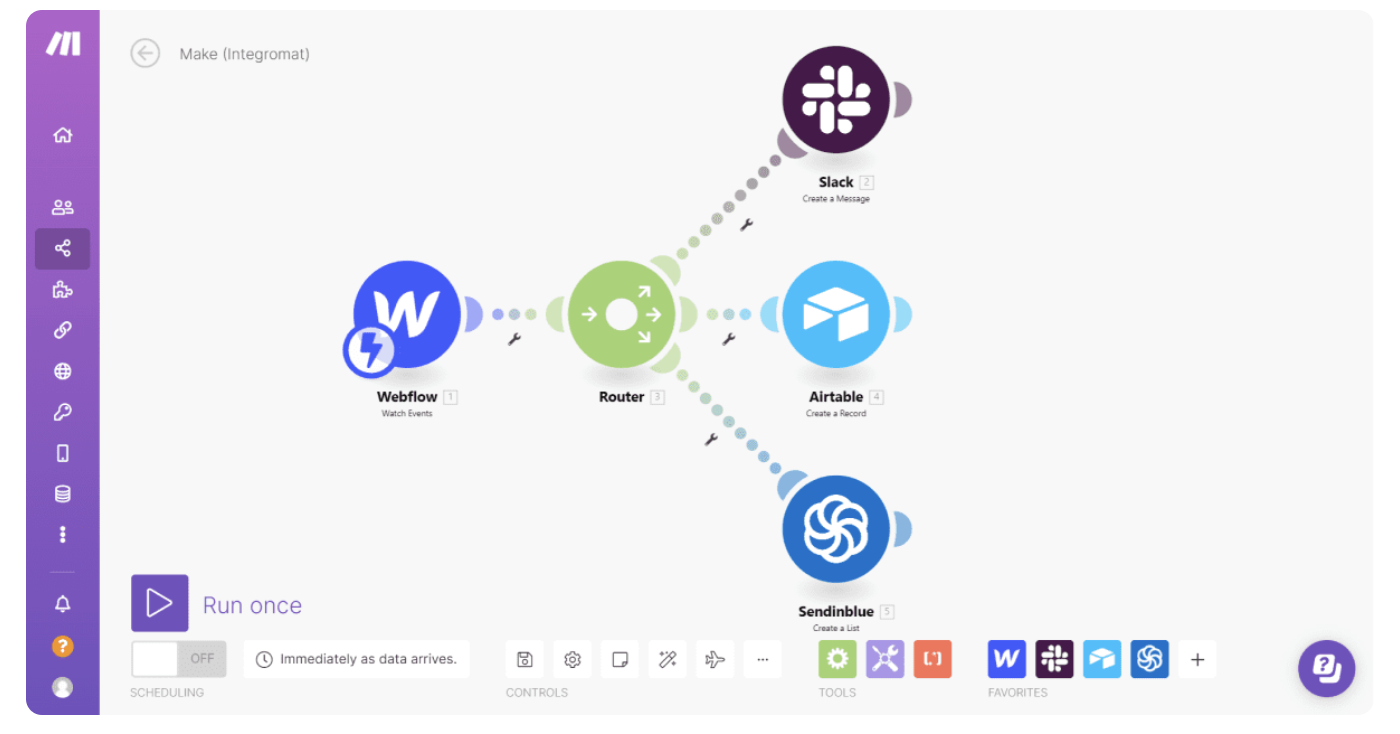
Make is built around four pillars:
From simple scenarios to complex orchestrations, the logic stays the same.
1. Visual editor: build your scenarios like on a whiteboard
Make's canvas shows every step and every data flow in your automation.
- Assemble your scenarios by dragging modules onto the canvas
- Visualise how data travels at every step
- Test your scenarios step by step before activating them
- Review execution history to understand every run
2. Connectors: thousands of ready-to-use applications
Make relies on your tools' APIs to get them talking to each other.
- Connect CRMs, ERPs, marketing tools and databases without development
- Combine several applications within a single scenario
- Transform data between two tools with Make's native modules
- Build your own apps when a connector is missing from the catalogue
3. Advanced logic: automations that handle complex cases
This is what sets Make apart from basic automation tools.
- Route your data with routers and conditional filters
- Process batches of records with iterators and aggregators
- Make your scenarios robust with error handling and fallback paths
- Schedule executions at the right frequency for each process
4. Webhooks and APIs: connect everything else
When no connector exists, Make talks to APIs directly.
- Trigger your scenarios instantly with webhooks
- Call any API with the HTTP module
- Get tools talking even when they have no official connector
- Bring your internal business applications into your automations
Make, Zapier or n8n?
Make sits between Zapier, easier to pick up but less flexible for complex scenarios, and n8n, more technical and self-hostable. The right choice depends on the complexity of your processes, your data constraints and your team's skills.
Planning an automation project with Make? turnK designs, hardens and operates your critical scenarios, connected to your CRM and ERP. Take a look at our application development services or contact us: our consultants reply within 48 hours.
Frequently asked questions.
Make, formerly Integromat, is a cloud-based no-code automation platform. It connects applications together and builds scenarios that move and transform data automatically, through a visual editor.
Make is designed for operations, marketing and IT teams that want to automate processes without heavy development. Comfort with data-flow logic helps unlock the tool's full potential, especially for complex scenarios.
The visual scenario editor, thousands of application connectors, advanced logic (routers, filters, iterators, error handling) and webhooks plus HTTP modules to talk to any API.
Make is subscription-based, priced on the volume of operations your scenarios execute, with a free tier to explore the platform. Up-to-date pricing is available on the official Make website.
Zapier is simpler for basic automations; Make offers more power for complex scenarios with conditional logic, often at a lower cost for the same volume. turnK audits your processes, helps you pick the right automation tool and deploys it.
