


Power Apps: build custom business apps with low-code
Discover Power Apps, Microsoft's low-code platform
Power Apps is Microsoft's low-code platform for building custom business applications connected to your data, with or without code.
An inventory management app, a customer request tracker, a leave request form, a field inspection app: your teams can cover these needs themselves, without waiting months for development. Data stays within your Microsoft environment, with the security and governance that come with it.
Power Apps is built around four pillars:
From visual design to AI, every building block speeds up getting your apps into production.
1. Power Apps Studio: design your apps visually
The visual editor makes app building accessible to business users.
- Assemble your screens by drag and drop: buttons, forms, galleries
- Define app logic with Excel-like formulas
- Publish your apps to the web, mobile and Microsoft Teams
- Match the interface to your brand guidelines without writing code
2. Dataverse and connectors: your data at the centre
Power Apps plugs into the data you already use, in the cloud and on-premises.
- Connect hundreds of sources: SharePoint, Excel, SQL Server, Dynamics 365
- Store business data in Microsoft Dataverse, the platform's secure database
- Reach your internal systems through on-premises data gateways
- Apply centralised security and governance rules to every app
3. The Power Platform ecosystem: automate and analyse
Power Apps delivers its full value combined with the other Power Platform components.
- Automate your processes with Power Automate directly from your apps
- Analyse app data with embedded Power BI reports
- Deploy your apps right inside Microsoft 365 and Teams
- Extend the platform with professional code when the need justifies it
4. Copilot and AI: describe it, and the app takes shape
AI is built into Power Apps to speed up both building and using applications.
- Describe your need in natural language and let Copilot generate a first version of the app
- Add AI capabilities with AI Builder: document processing, predictions
- Embed conversational assistants in your business apps
- Refine every screen and rule afterwards in Power Apps Studio
Planning a Power Apps project? turnK designs your business applications, structures your data and industrialises your use of the Power Platform. Take a look at our app development services or contact us: our consultants reply within 48 hours.
Frequently asked questions.
Power Apps is Microsoft's low-code platform, part of the Power Platform. It lets you build custom business applications connected to your data (SharePoint, Excel, SQL Server, Dataverse) through a visual editor accessible to non-developers.
Companies already using the Microsoft ecosystem that want to digitise internal processes without heavy development. Business users build simple apps, while professional developers extend the platform for complex needs.
A drag-and-drop visual editor (Power Apps Studio), hundreds of data connectors, the Microsoft Dataverse database, integration with Power Automate, Power BI and Teams, plus AI capabilities with Copilot and AI Builder.
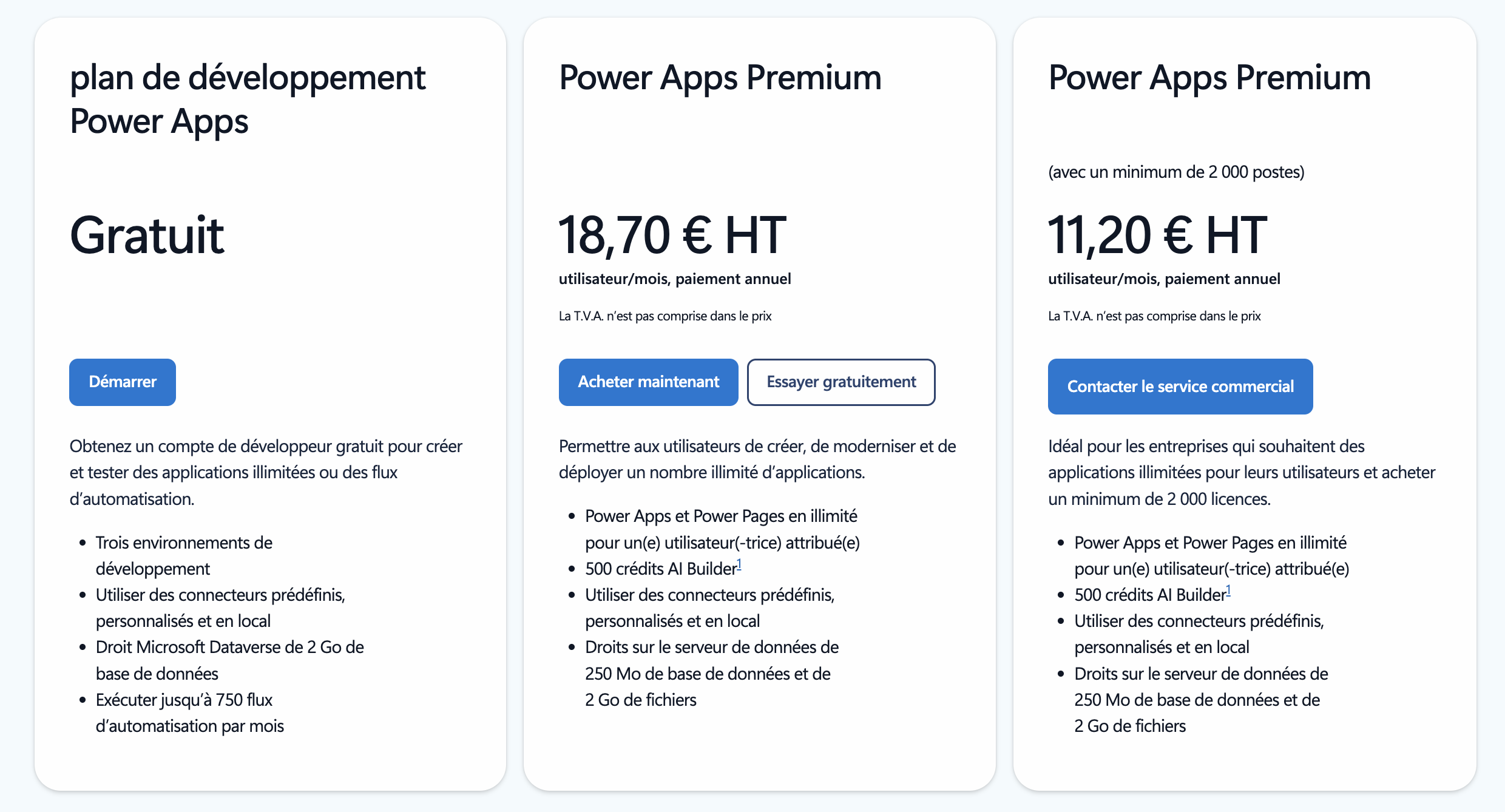
Power Apps is subscription-based, with per-user or per-app licences, and some capabilities included in Microsoft 365 subscriptions. Up-to-date pricing is available on the official Microsoft website.
Not for simple apps: the visual editor and Excel-like formulas are enough. For business-critical apps, complex integrations or company-wide governance, a partner like turnK structures the platform and prevents a sprawl of unmaintained applications.
