


Cursor: the AI code editor that speeds up development

Discover Cursor, the code editor that puts AI at the heart of development
Cursor is a code editor (IDE) built on VS Code that brings artificial intelligence into every step of software development.
Describe a feature in natural language and Cursor writes the corresponding code, taking your whole project into account: conventions, dependencies, related files. Bug fixes, refactoring, test writing: repetitive tasks get faster, and your developers keep control over every change.
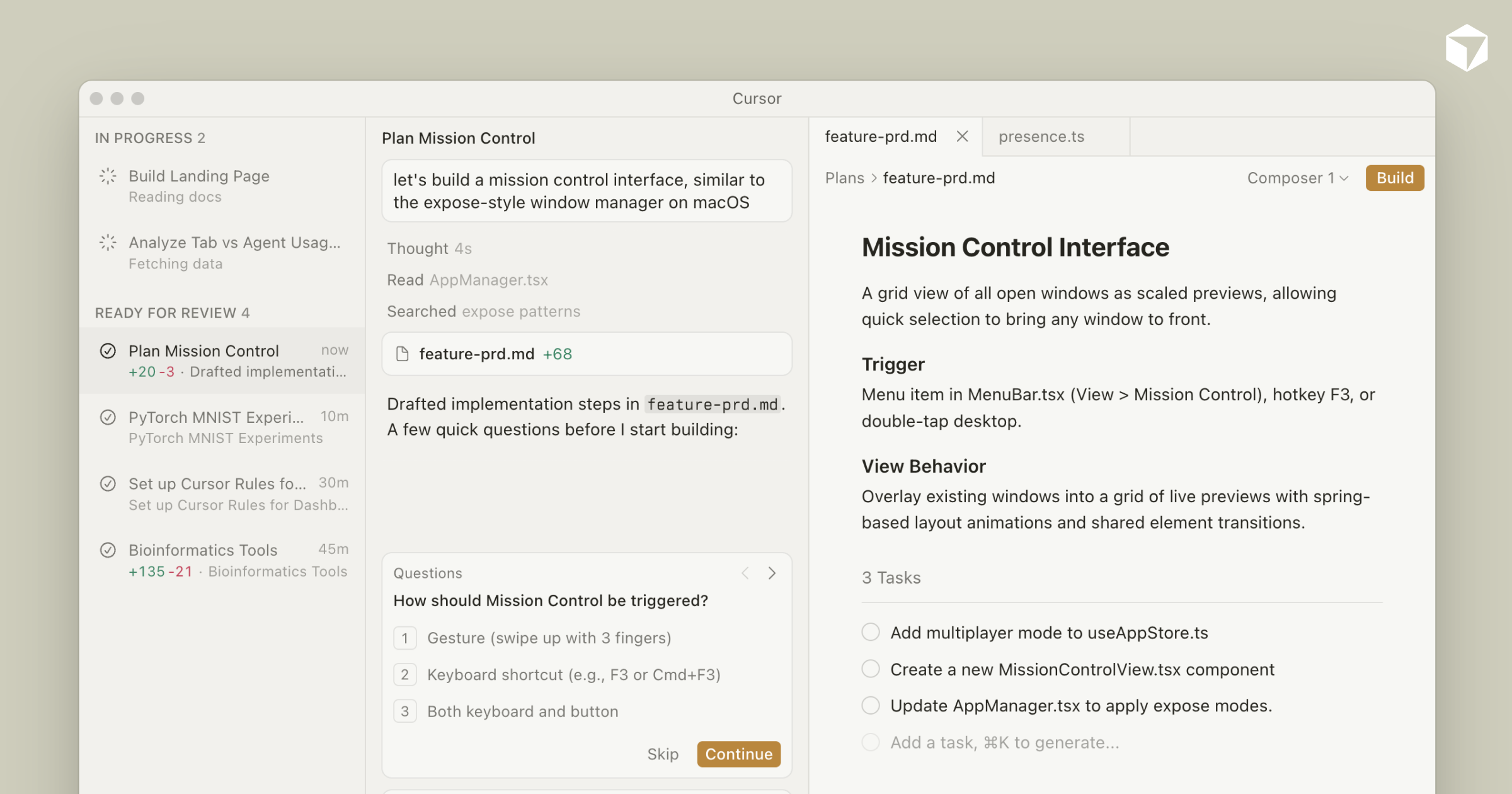
Cursor is built around four functional pillars:
Each pillar covers a different moment in a developer's day.
1. Predictive autocomplete: code anticipated as you type
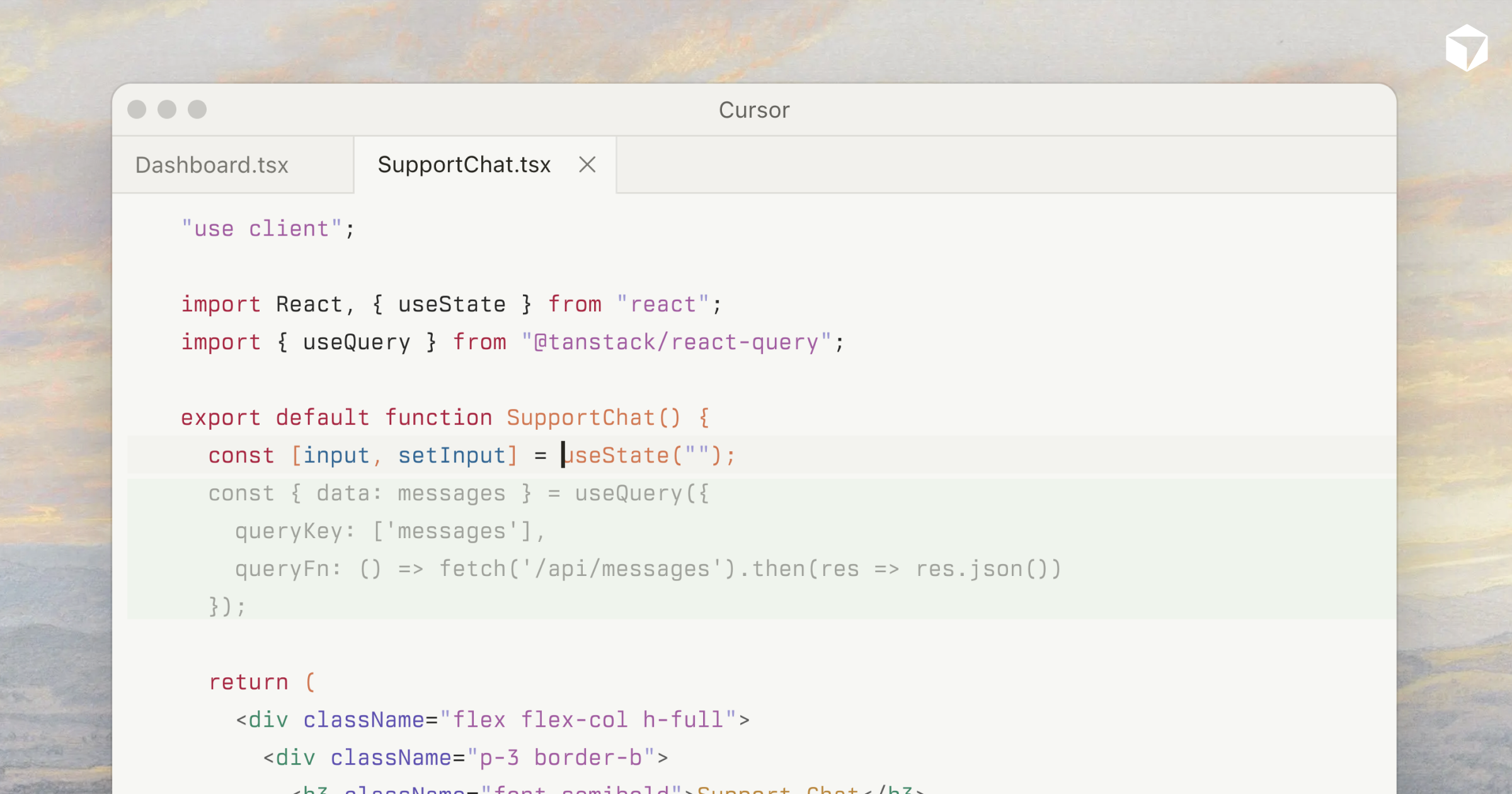
Cursor continuously suggests what comes next, well beyond the next line.
- Accept multi-line suggestions tailored to the file's context
- Chain repetitive edits: the editor anticipates the next occurrence
- Cut the time spent on boilerplate and recurring patterns
- Stay in control: every suggestion is accepted or dismissed with a keystroke
2. Codebase-aware chat: ask questions about your project
The built-in chat knows your project and answers with precise references to the relevant files.
- Ask how a module or function works
- Request a fix or an improvement and apply the proposed change
- Reference files, documentation or error messages in your prompts
- Get up to speed faster on legacy code or an unfamiliar project
3. Agent mode: delegate multi-file tasks
Beyond suggestions, Cursor can carry out a task end to end under your supervision.
- Hand over a complete task: the agent edits several files consistently
- Let it run terminal commands and fix the errors it encounters
- Review and approve every change before merging it
- Automate migrations and refactorings that span the whole project
4. The VS Code foundation: keep your habits
Built on VS Code, Cursor can be adopted without relearning your working environment.
- Import your extensions, themes and shortcuts in one click
- Keep your bearings: the interface stays familiar
- Choose between several AI models depending on the task
- Govern team usage with code privacy options
Want to industrialise AI-assisted development in your teams or projects? turnK builds your custom applications with the best tools available. Take a look at our application development services or contact us: our consultants reply within 48 hours.
Frequently asked questions.
Cursor is an AI-powered code editor (IDE) built on top of VS Code. It combines predictive autocomplete, project-aware chat and an agent mode capable of making consistent multi-file changes.
Developers and technical teams who want to speed up writing, understanding and maintaining code. Its VS Code foundation makes the transition immediate for most developers, from freelancers to enterprise product teams.
Multi-line autocomplete that anticipates edits, contextual chat grounded in the entire codebase, an agent mode for delegating complete tasks, and compatibility with VS Code extensions and shortcuts.
Cursor offers a free version with limited AI usage, then individual subscriptions and team plans with administration features. Up-to-date pricing is available on the official website.
Yes: Cursor offers a privacy mode that prevents your code from being retained, along with team plans and centralised management. Usage and best practices still need framing: turnK, which uses these tools daily, can support you.
