
Webflow and SEO: Is it SEO-friendly?
Webflow is a website design platform that has gained popularity in recent years due to its powerful features and user-friendly interface. However, many people wonder if Webflow is also interesting for SEO. In this article, we will look at the benefits of Webflow in terms of SEO and share some best practices to optimize your website.
Benefits of Webflow for SEO
Webflow offers several SEO benefits that make it an attractive platform for website owners. Here are some of the main advantages:
- Clean HTML structure: Webflow generates clean, semantic HTML code, making it easy for search engine to index. Beacons and hierarchies are properly used, allowing crawlers to understand the structure of the site.
- User-friendly URL: Webflow allows you to customize the URLs of your pages, which is important for SEO. You can include relevant keywords in your URLs to help search engines understand the content of the page.
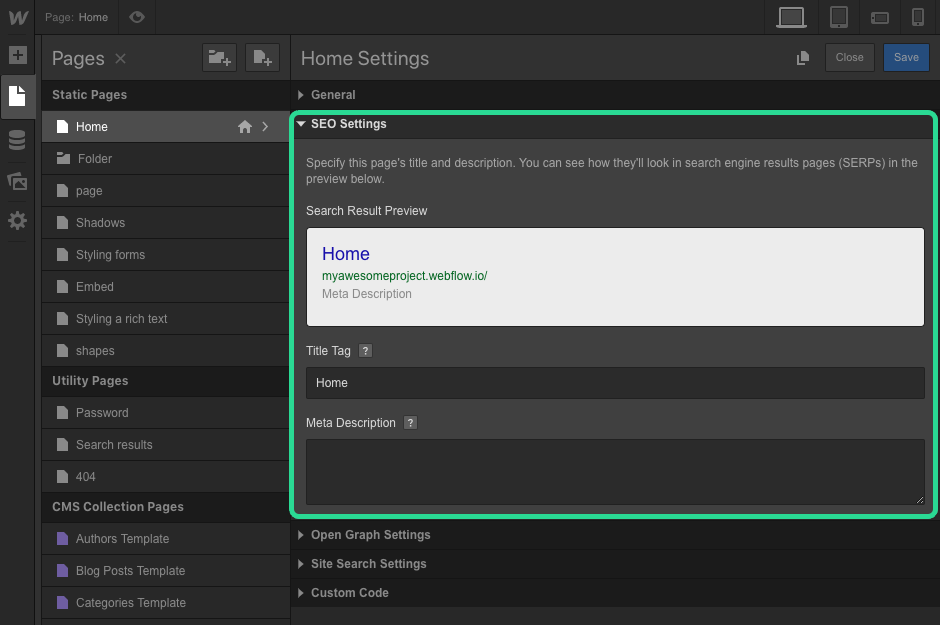
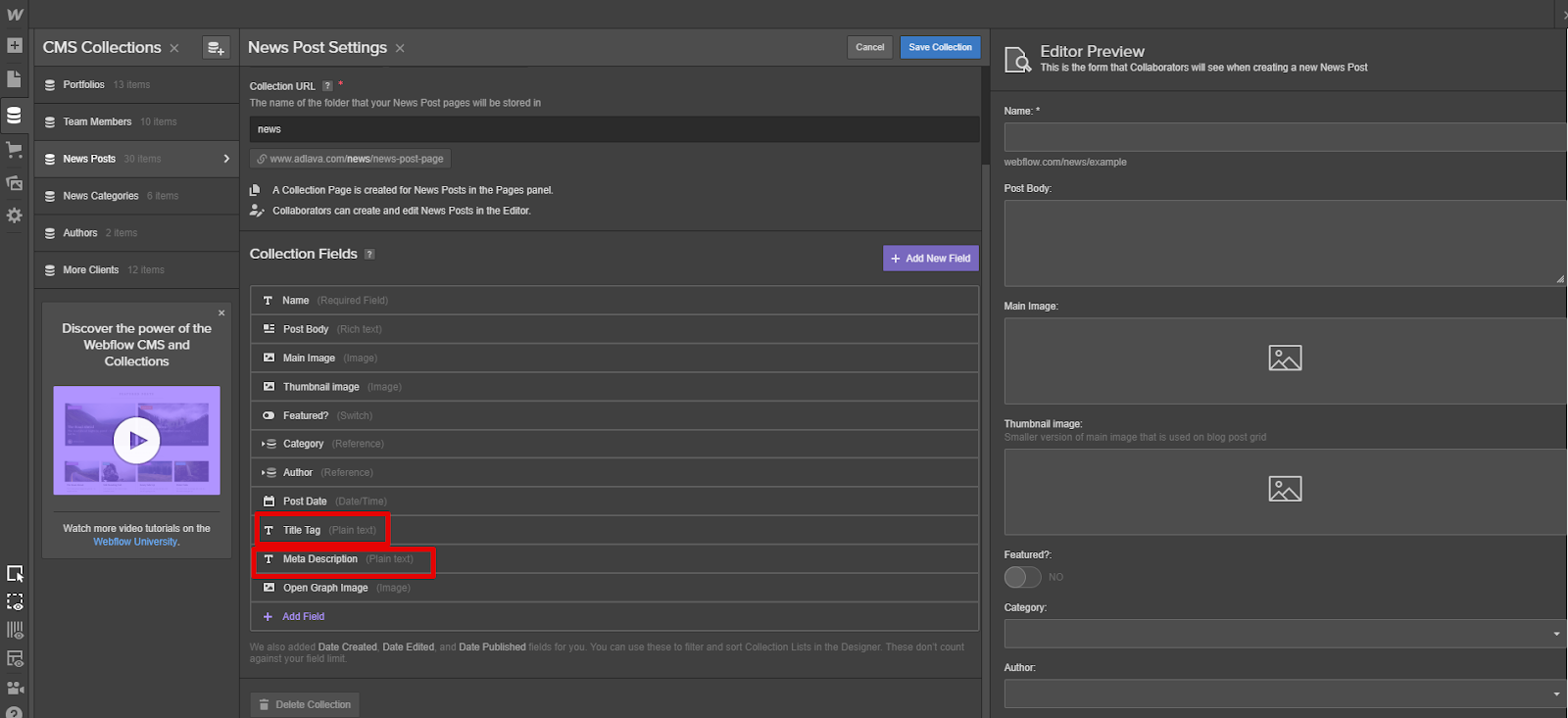
- Meta Tag Optimization: Webflow offers features to easily add and optimize meta tags such as title tags, descriptions, and header tags. This allows you to better control the information displayed in the search results and improve the relevance of your site.
- Image optimization: Webflow offers options to optimize images, including adding "alt" attributes for images. This helps search engines understand the visual content of your site and can help improve ranking.
- Social Network Integration: Webflow facilitates the integration of social sharing buttons, which can increase engagement on your site and promote social SEO.
Good SEO practices with Webflow:
In addition to the above mentioned benefits, here are some webflow-specific SEO best practices:
- Keyword search: Perform an in-depth search of keywords that are relevant to your content and use them strategically in your titles, descriptions, header tags, and content. Use keyword search tools such as Google Keyword Planner to find popular and relevant keywords.
- Content optimization: Create quality, informative and engaging content for your visitors. Use the header tags (H1, H2, etc.) to organize your content and add relevant internal links to make it easier for users to navigate and crawl by search engines.
- Loading Speed: Make sure your website loads quickly by optimizing images, using browser caching, and minimizing CSS and JavaScript files. Fast websites are appreciated by users and search engines.
- URL structure: Use readable, user-friendly and relevant URLs for your pages. Avoid long and automatically generated URLs.
- Sitemap creation: Create an XML sitemap from your website and submit it to search engines to facilitate their exploration and indexing.
In conclusion, Webflow offers many advantages in terms of SEO. Its own HTML structure, user-friendly URLs, meta tag optimization, images and social networks are all features that help improve the ranking of your website in search engines. By following Webflow-specific SEO best practices, you can optimize your site for better rankings and attract qualified organic traffic. Make your website Webflow a powerful tool for your SEO strategy.
the most common questions
Yes, Webflow is reputed to be SEO-friendly. It generates a clean and semantic code, makes it easy to manage title, meta and alt beacons, and offers good loading performance, all elements favorable to SEO.
Webflow allows you to customize meta tags, URLs, 301 redirects, sitemap, robots.txt file, and structured data. These settings, accessible without code, make it easy to optimize each page.
Yes, Webflow relies on high-performance hosting and a global CDN, ensuring fast loading times. Speed being a criterion of SEO, it benefits SEO.
Webflow provides excellent technical basics, but SEO also depends on content, keywords, links, and user experience. It is the combination of these elements that guarantees good results.